

I have seen many of my friends wearing the Fitbit Air at just half of its potential, because they only know how to track their daily steps and a few other little things that can add up into their habits. To be honest, this device is genuinely more useful once you know all its features.
As the Fitbit is a screenless tracker, obviously we don’t get any display. We can’t do too many things on it, but this Fitbit Air still collects a huge amount of data that gives you plenty of features on its own.
Now the question is what you are looking for in this Fitbit Air fitness band, because in this post I am going to share 8 hidden features which you should try, and that will help you get a better understanding of your sleep data through the app, and it will even save your band’s battery.
Most importantly, I have personally used all these hidden features which I am going to mention in this article, so this will actually change your narrative about using the Fitbit as your fitness tracker.
Contents
Top 8 Hidden features of Fitbit Air which most users miss
Hey guys, as I shared in the introduction, the Fitbit Air comes with lots of features, and to be honest, I am sharing the most useful hidden features with you.
Lets Start from Battery Saving Tips
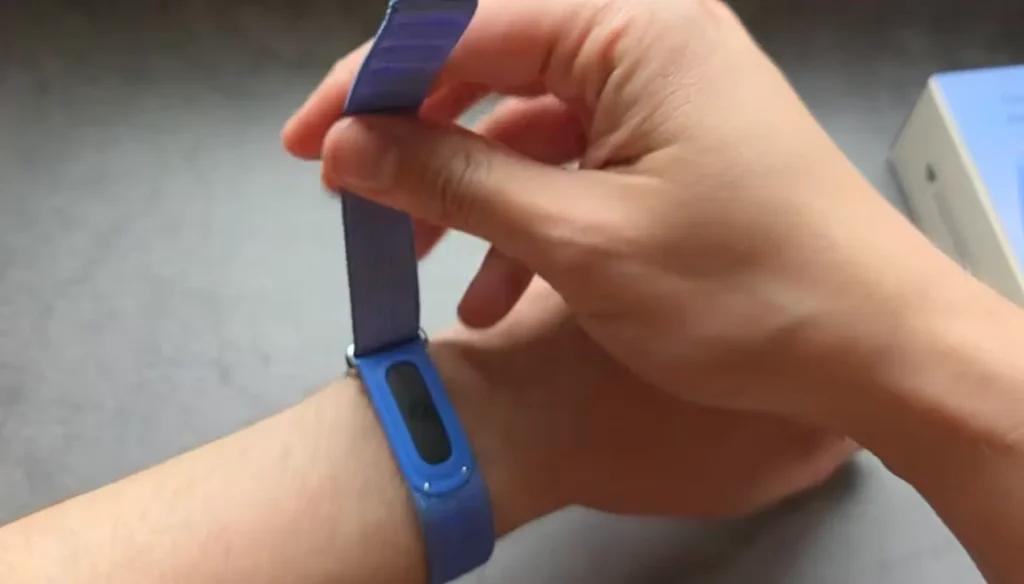
Well, I have already used this band and it does last several days, but if you want to stretch it further, you might hate charging it too often.
So here are a few things that can improve your Fitbit Air’s battery life, such as:
#1 Notifications
Every notification burns a little bit of power on your Fitbit band, so obviously if you keep fewer notifications, like calls and texts, that is going to improve the battery a lot.
#2 Sync less often
Yes, you heard me right, because constant background syncing does drain the battery, and if you keep switching to manual syncing by opening the app, then you will barely notice the difference.
#3 Other tracking
So if you are one of those who continuously keep tracking data such as heart rate and so on, then you should drop it a little bit, because a frequent interval in the app can gather hours of data, which is obviously going to burn the power of your band.
Now Lets move towards Google Health app 2 Tips,
So many people don’t know the actual potential of the Google Health app, because in the Fitbit Air there is so much you can use.
#4 Customize your dashboard
You can customize your dashboard to rearrange the metrics and even keep them at the top. For example, if you are tracking sleep, then you can put it at the top.
#5 Set up smart reminders
Bedtime alerts or even hydration prompts: you can tune these through smart reminders, which will go with your routine instead of being ignored by default.
Read this Also: Fitbit Air vs Fitbit Charge 6
#6 Read your readiness score
So if you feel tired in the morning, or maybe feel low with noise, then there is a road signal, which is the pattern and not a single number, so you can catch overtraining or a cold before it hits you.
#7 Workout auto detect
I know the most common activity people do on their Fitbit Air is tracking, but for accuracy or a few specific sessions you should go for a manual workout, which you can do through the app, because that captures the actual picture, as auto detect can’t do such things accurately.
#8 AI health coach
In this band, you get some AI health coach features, and inside that, the coach can go through your data and give you suggestions or a few adjustments about taking rest or doing a workout.
Conclusion
To be honest, whenever I see people using the Fitbit Air, they use it as a fancy setup, which actually comes down to tweaking the settings and not using its hidden features.
So you have to explore everything, from changing settings today to trying the Fitbit Air this week, as it will build a new habit, and later on you can see the more precise data which the band is collecting.
So if you are really into fitness, then my first advice will be to wear it properly and keep it tracking your data for at least two or three weeks to notice a difference.
FAQ
1. What are the best Fitbit Air tips?
For fitness tracking, first you should wear the Fitbit Air correctly, because position matters; wearing it correctly gives accurate readings.
2. What are the hidden features in Fitbit Air?
You can get band-free clip options in the Fitbit Air. Also a few background stress tracking and skin temperature readings.
3. How to save battery in Fitbit Air?
You can turn your notifications off or even sync less often to improve your Fitbit Air’s battery.