
I am a big-time Apple Watch user for tracking my fitness and overall health, and when I started using a tracking band like Fitbit Air, this comparison became a must for me.
If you are also confused about getting a tracker band or a smartwatch like Apple Watch, then this article is for you.
Contents
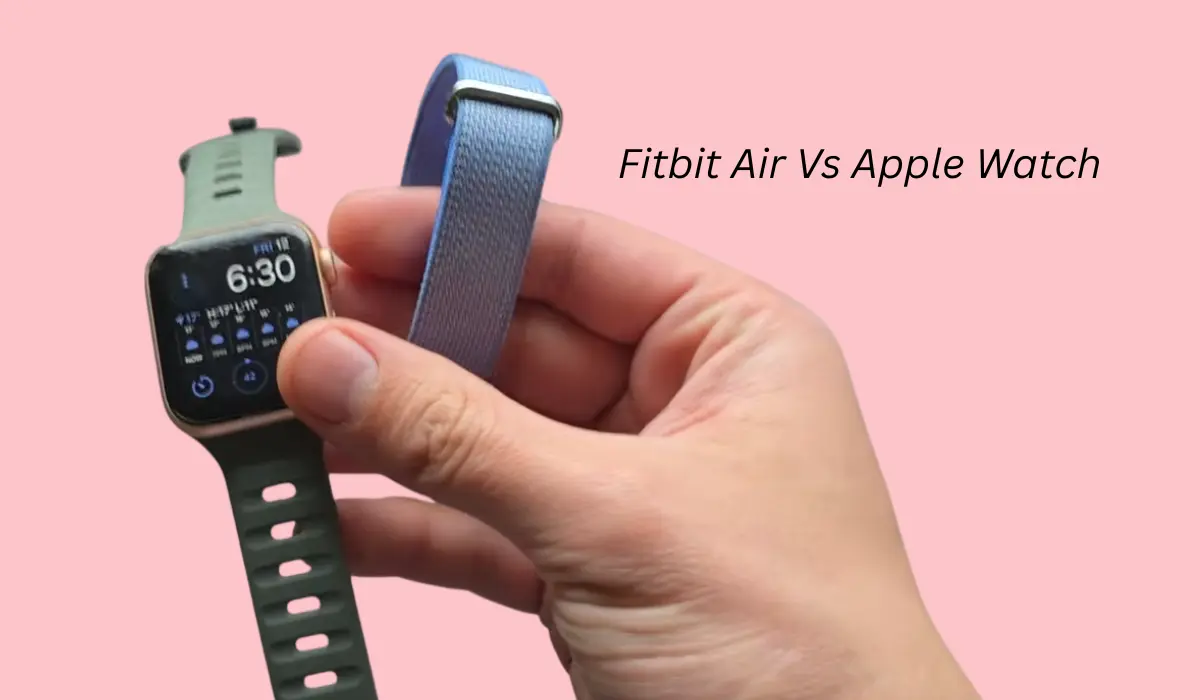
Fitbit Air Vs Apple Watch
This comparison started the day I began using tracking bands. My previous band was a Fitbit Charge 6, which is quite good, and the Fitbit Air has a very similar design.
So comparing it with a smartwatch could be a little unfair, but as you people asked me, I am doing this comparison for you all.
1. Size and Comfort
The biggest advantage here is size. You can easily wear the Fitbit Air comfortably while sleeping to track your sleep data, while the Apple Watch is quite uncomfortable because it is a smartwatch.
The Fitbit Air is literally below 12g, which is absolutely crazy in terms of size, whereas my Apple Watch is quite bigger and thicker.
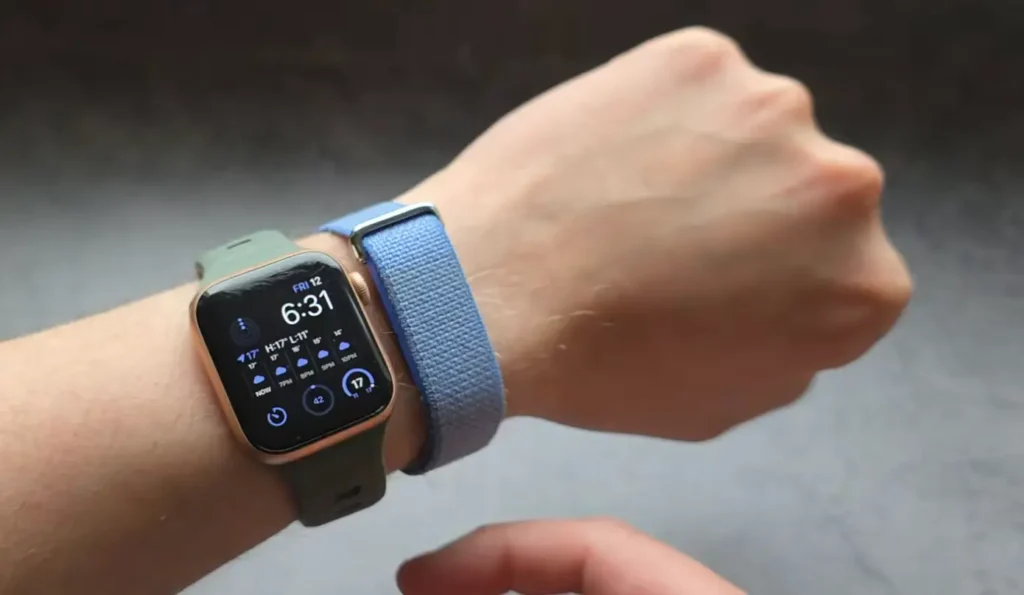
You can wear the Fitbit Air on your wrist easily, even at night, and you really can’t feel that you are wearing something. So it doesn’t disturb you or your sleep, as it’s not metal, and obviously the fabric is very soft.
On the other side, the Apple Watch is also comfortable, but not that much. Due to its size, the module itself is a little thicker.
2. Strap
Another thing where I actually prefer the Fitbit Air is the strap. The straps we get are really comfortable, while the Apple Watch straps are honestly terrible. I mean, the closing mechanism is very bad, although it is quite fast to put them on.
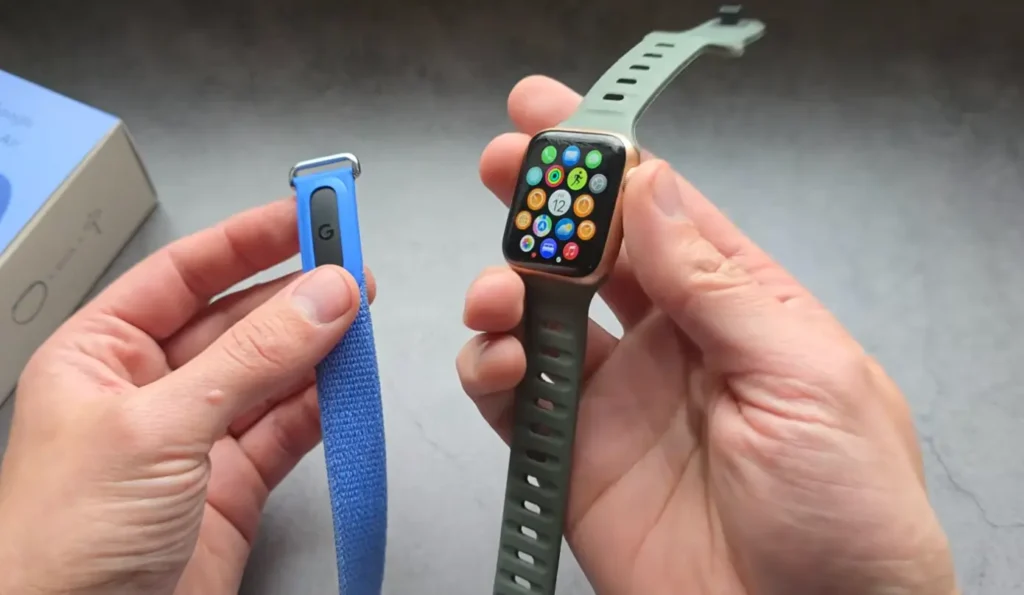
Previously, I also had a Samsung Galaxy Watch, which had a very nice closing mechanism. I hate the default Apple Watch straps, so yes, this thing is not that great. Fitbit Air straps are five times better any day.
3. Battery Life
Another huge advantage of Fitbit is battery life. When you charge your Fitbit Air, it will last for around seven days in real life, whereas the Apple Watch battery will last for a maximum of two or three days.
Even if you use always-on display on your Apple Watch, then obviously it will give you one full day. Otherwise, the maximum I got was two days. So for battery life, the big winner here is Fitbit Air.
4. Sleep Tracking
Now let’s cover sleep tracking, where these devices actually give you similar data, especially when it comes to performance.
Firstly, the best and most accurate data I got was from Fitbit Air, which is tiny and feels better than the Apple Watch.
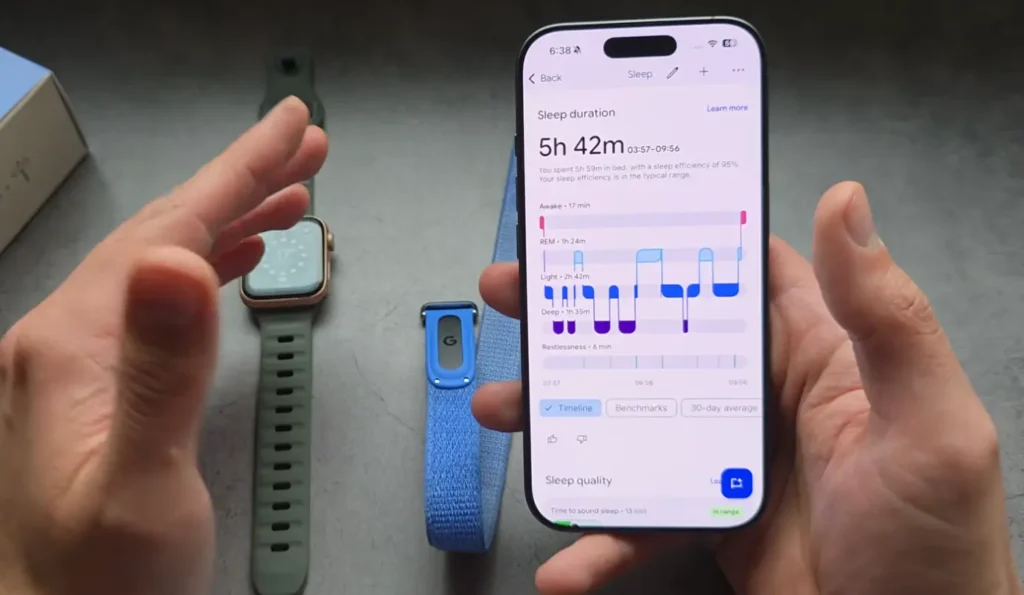
I personally realized that sleep tracking on the Apple Watch is also very good, but at the same time, Fitbit Air also tracks well and gives good insights.
So essentially, the tracking is insanely precise, and for that, Fitbit or even smartwatches generally are very good when it comes to sleep tracking.
But I will give a slight edge to Fitbit. Obviously, the two main problems with the Apple Watch are its terrible battery life and the fact that it does not last more than a day with heavy use.
Read this Also: Fitbit Air vs Amazfit Helio Comparison
5. Heart Rate Insights
Fitbit Air is surprisingly giving good heart rate tracking, and in my opinion, the Apple Watch follows the golden standard when it comes to accurate tracking. So basically, heart rate tracking is absolutely great on both these devices.
If I talk about the previous Fitbit Charge 6, then basically it had pretty good accuracy, but to be honest, I didn’t like the heart rate tracking on it that much. The Fitbit Air actually uses the same sensors as the Fitbit Charge 6.
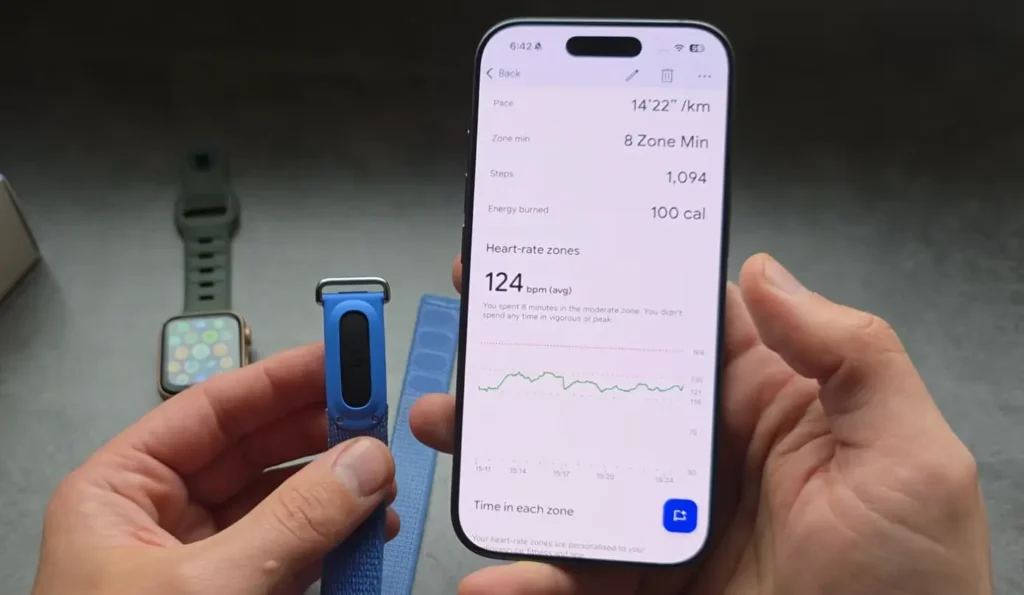
But yes, even though we are getting the exact same sensors, the actual performance is a little different, and they have improved the algorithm to give better performance.
So if you are doing random exercises like walking or running and then tracking your heart rate, the Apple Watch gives a more accurate result than the Fitbit Air, but the difference is not that huge.
6. GPS and Workout Tracking
In the Apple Watch, we can start an exercise straight away, so you don’t even need to have your phone in range. Obviously, the Apple Watch has GPS built in, while in Fitbit, you don’t get any GPS. So if you want to track your exercise, you need to have your phone nearby.
The tracker also has automatic workout detection, but in my opinion, it’s not that great. There are two main problems. The first one is that if it records in automatic mode, then it doesn’t pick up the GPS, so you can’t see where you have been.
One more limitation is that automatic mode will not record the activity if it is less than 10 minutes.
Whereas in the Apple Watch, you don’t have to set any such limits, and it has pretty good features that make it a no-nonsense smartwatch.
When you are doing exercise, you really can’t simply open your Fitbit and see what’s actually going on in the Fitbit app, whereas the Apple Watch shows you data on the screen. So workout tracking is more reliable on the Apple Watch, and it has a better design and gives you a good overview.
7. Screen and Usability
The Apple Watch is a smartwatch, and obviously it has the advantage of having a screen. Meanwhile, the Fitbit Air is a tracking band that does not come with any screen.
On the Apple Watch, you can check notifications, disable them, and check the time and date, whereas you don’t get such features on the Fitbit Air.
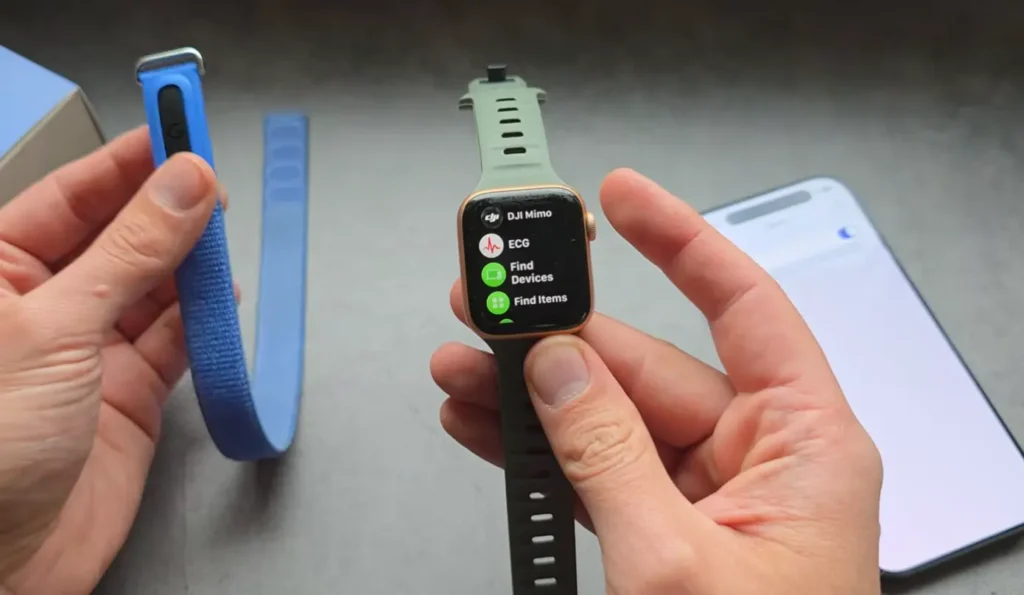
Fitbit Air is for less distraction and less hassle. I don’t keep checking my notifications and other things regularly, so for me, the fitness band is the best pick.
But for a person who wants to save time and doesn’t want to keep checking their mobile 10 or 15 times a day, the Apple Watch is for them. Apple Watch has created a big ecosystem with Apple devices, so any Apple user can pick the Apple Watch.
8. Step Counter
The Apple Watch is definitely better than the Fitbit Air, and I am disappointed that the step counter gives more accurate data on the Apple Watch than the Fitbit Air.
I am not impressed with its performance, as it heavily undercounts. For example, I went on a long walk, and it recorded the steps absolutely fine, almost as good as the Apple Watch. But when I did a short walk around my house, it counted only around 20 steps, which makes a huge difference.
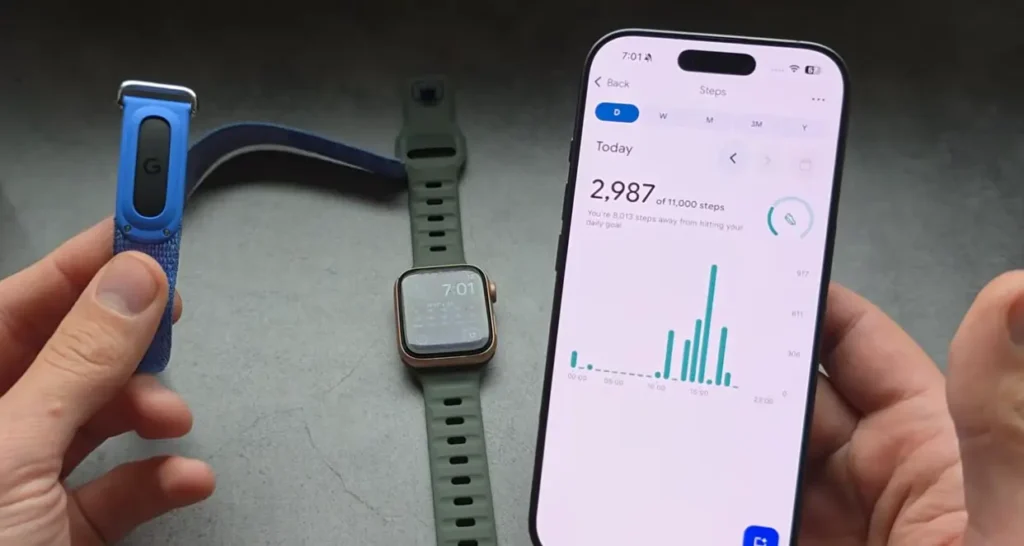
So at the end of the day, if I have to compare the Apple Watch versus Fitbit Air in step counting, then today Fitbit Air recorded 2987 steps, while my Apple Watch recorded 4036 steps. This means Fitbit Air is giving almost 30 to 35% less data than my Apple Watch.
To be honest, the Apple Watch gives very accurate data, so unfortunately, the older Fitbit Charge is quite better than Fitbit Air in this area. Since Fitbit Air is not performing that well, Apple Watch is the winner when it comes to step counting.
Read this Also: Can’t Connect Your Fitbit Air?
9. Other Features
If you have previously used any smartwatch, then you are going to miss many features on the Fitbit Air.
If you want to start a timer or use a stopwatch, then you can’t do it from the band itself. On the Apple Watch, we do get ECG, but on the other hand, you obviously do not use such features in daily life. The Fitbit Charge 6 also had the same sensor, so we got ECG there, but in the Fitbit Air, we do not get anything like that.
In the Apple Watch, we can obviously do so many things, like check email, get basic navigation, reply to messages, control music, and even control the phone. So it is literally like having a mini phone.
But in Fitbit, you don’t get NFC and many other things. So when it comes to features, the Apple Watch is better any day and provides a hundred times more features.
But for me, Fitbit is a simple fitness tracker that you can wear on your wrist and start gathering data from the Google Health app. Again, in terms of overall features, the Apple Watch is the winner.
Conclusion
Overall, I think the Fitbit Air is an absolutely great fitness band. As it has a compact size, you can easily wear it, and obviously, it is not going to replace your Apple Watch. But personally, I don’t miss a lot of the features that are given in my Apple Watch.
So if you really want something that can replace the Apple Watch, then I don’t think Fitbit Air is for you. You can primarily wear it for tracking your exercise, workout, sleep, and overall fitness data.