Skip to content
-
Subscribe to our newsletter & never miss our best posts. Subscribe Now!
Newslal Guide
Newslal Guide
  • How to
  • Fitbit Guide
  • Comparison
  • Reviews
  • Fitbit Air Tricks
  • How to
  • Fitbit Guide
  • Comparison
  • Reviews
  • Fitbit Air Tricks
Close

Search

  • https://www.facebook.com/
  • https://twitter.com/
  • https://t.me/
  • https://www.instagram.com/
  • https://youtube.com/
Subscribe
Fitbit Air GuideFitbit Air TricksHow to

How to set alarm in Fitbit Air?

By Akash Dhonde
June 21, 2026 2 Min Read
0

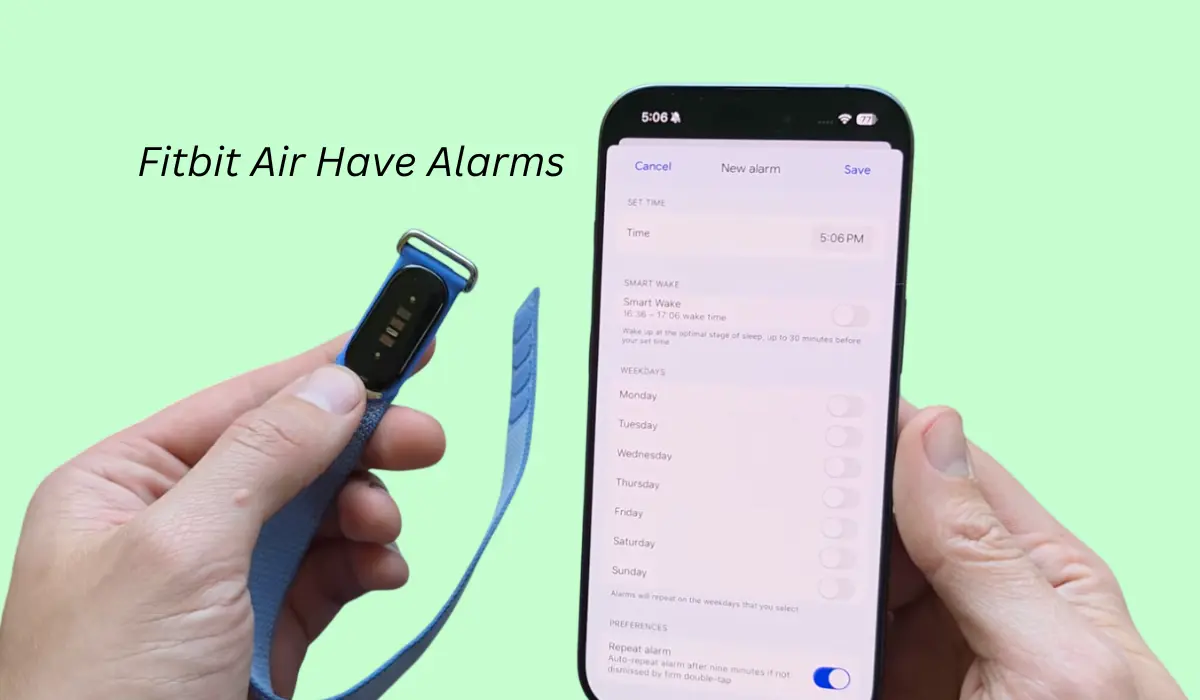
Fitbit air is right now one of the most trending bands available in the market and you might be wondering does it come with an alarm?

Then, yes, even if this is a tracker, but still you get the alarm feature and you can even set one.

So in this blog post, I am going to tell you the best and easiest way to set alarms in your Fitbit air tracker.

Contents

  • 1 How to set alarm in Fitbit Air?
    • 1.1 Can we change the alarm tune?
    • 1.2 How to dismiss the alarm?
    • 1.3 Does the Fitbit air have vibration mode?
      • 1.3.1 Conclusion

How to set alarm in Fitbit Air?

Setting an alarm on Fitbit air is very simple. As this is a tracker and it doesn’t have any button or screen on it, so to set an alarm we have to use an app.
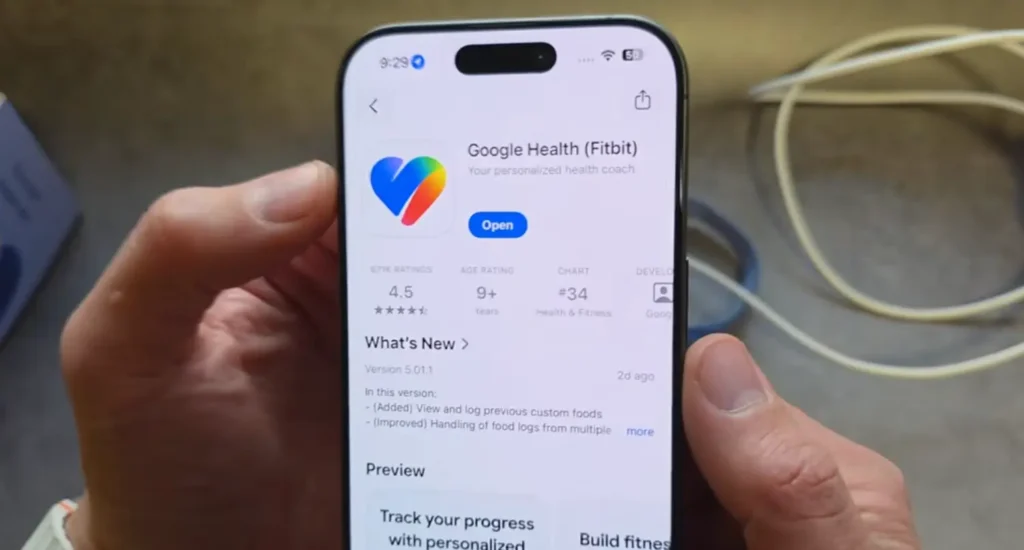
That app’s name is Google Health app and you can download it from Play Store or App Store. Once you have installed it, just pair your device and once your Fitbit gets connected then you will see the alarms option on it.
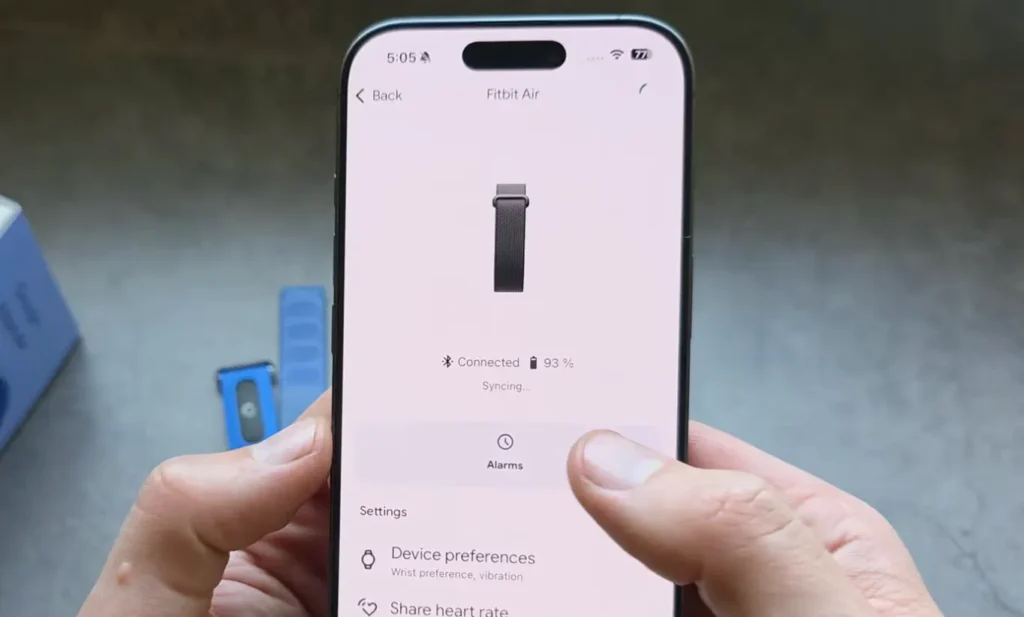
Now click on the set new alarm button and there you will see an option to change the time.
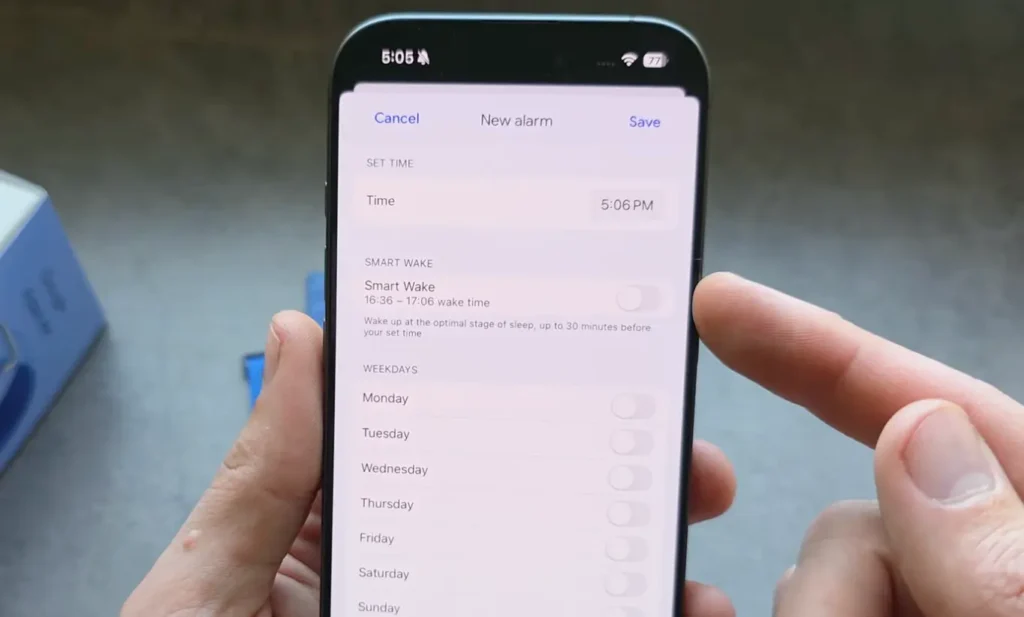
Also, there is one smart wake alarm as well, so the Fitbit can sense your sleep stages, and after analyzing your data it will wake you up at the best suitable time when you would feel the most rested.

Read this Also: Does the Fitbit Air Track Steps?

Can we change the alarm tune?

Yes, this tracker has that option so in the app, you will get alarm sound settings where you can change a few tunes. Also, it will give you a repeat mode.

How to dismiss the alarm?

There is no button on the watch, but once the alarm starts and your band actually vibrates, if you want to dismiss it, you have to simply double tap on it. Once you do that, your alarm will get dismissed.

Does the Fitbit air have vibration mode?

Right now, I have only explored the one vibration through the alarm so I don’t think there is any other vibration mode in it.

Conclusion

So far, I have been using this watch for alarms too and I have seen pretty decent results. The alarm actually does its work and the vibrations are also good enough to wake you up.


Tags:

AlarmsFitbit AirFitbit Air Alarms
Author

Akash Dhonde

Hi, myself Akash Dhonde. I am a Tech Savy person from India, love to write content, and on this website, I only post articles related to Google’s Fitbit Air.

Follow Me
Other Articles
Does the Fitbit Air Track Steps
Previous

Does the Fitbit Air Track Steps? Honest Review

Does Fitbit Air Have ECG
Next

Does Fitbit Air Have ECG?

No Comment! Be the first one.

Leave a Reply Cancel reply

Your email address will not be published. Required fields are marked *

Recent Posts

  • 8 Hidden Features of Fitbit Air Most Users Miss
  • Is Fitbit Air Waterproof? Can we wear it while Swimming
  • Fitbit Air vs Fitbit Charge 6 – Which is Best Tracker in 2026?
  • Fitbit Air Vs Apple Watch – Comfort and Accuracy Comparison 2026
  • Fitbit Air vs Amazfit Helio Comparison – Which Screenless Tracker Should You Get?

Archives

  • July 2026
  • June 2026

Categories

  • Comparison
  • Fitbit Air Guide
  • Fitbit Air Tricks
  • How to
  • Reviews

Welcome to Newslal: In this blog you can learn everything about Google Fitbit Air, from tracking exercise to understanding all its features. We also share Fitbit Air Comparisons with other Tracking Devices.

Pages

  • About Us
  • Cart
  • Checkout
  • Contact Us
  • Disclaimer
  • DMCA
  • My account
  • Privacy Policy
  • Shop

Copyright 2026 — Newslal Guide. All rights reserved. Blogsy WordPress Theme